Live jobsite translation
Every crew hears the toolbox talk in their own language.
You talk. Everyone reads. Same second. One mic at the front of the room, one screen per language — no headsets, nothing for the crew to install.
02The gap
A safety briefing only works if everyone understands it.
Most crews speak more than one language. The stretch-and-flex, the plan of the day, the one hazard everybody needs to hear — half the room can miss it. Or you pay an interpreter to stand there every morning at every site.
37.5%
of everyone killed on a US construction site in 2022 was a Hispanic worker. Three in four of them were immigrants.
Language is not the only reason for that gap, and CrewEcho does not claim to close it. But a briefing half the room cannot follow is not a briefing.
03How it works
Three pieces. You already own two of them.
1Source
Talk like you always do.
One mic at the front of the room. No script, nothing to load, nothing different about the meeting.
2Control
One laptop, any browser.
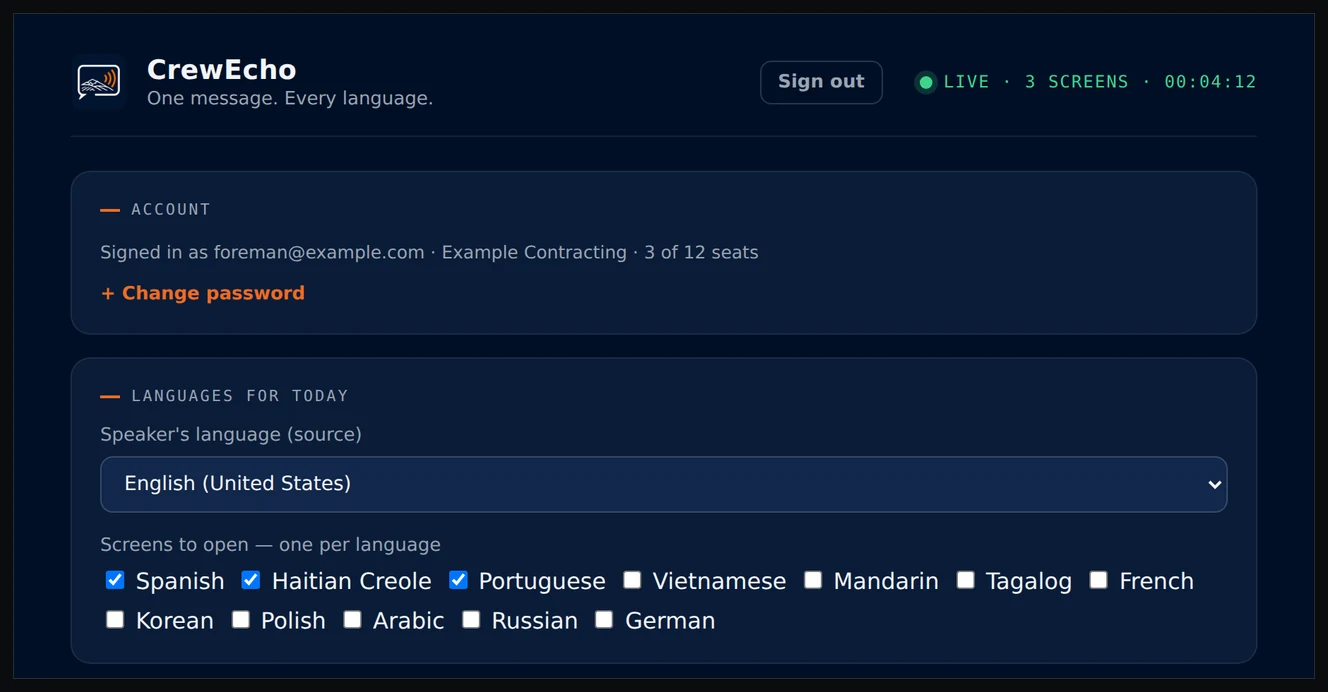
Pick your languages, hit Launch. Each screen opens full-screen on its own TV.
3Display
Everyone reads along.
One screen per language. No headsets, no app for the crew, nothing to hand out.
04The room
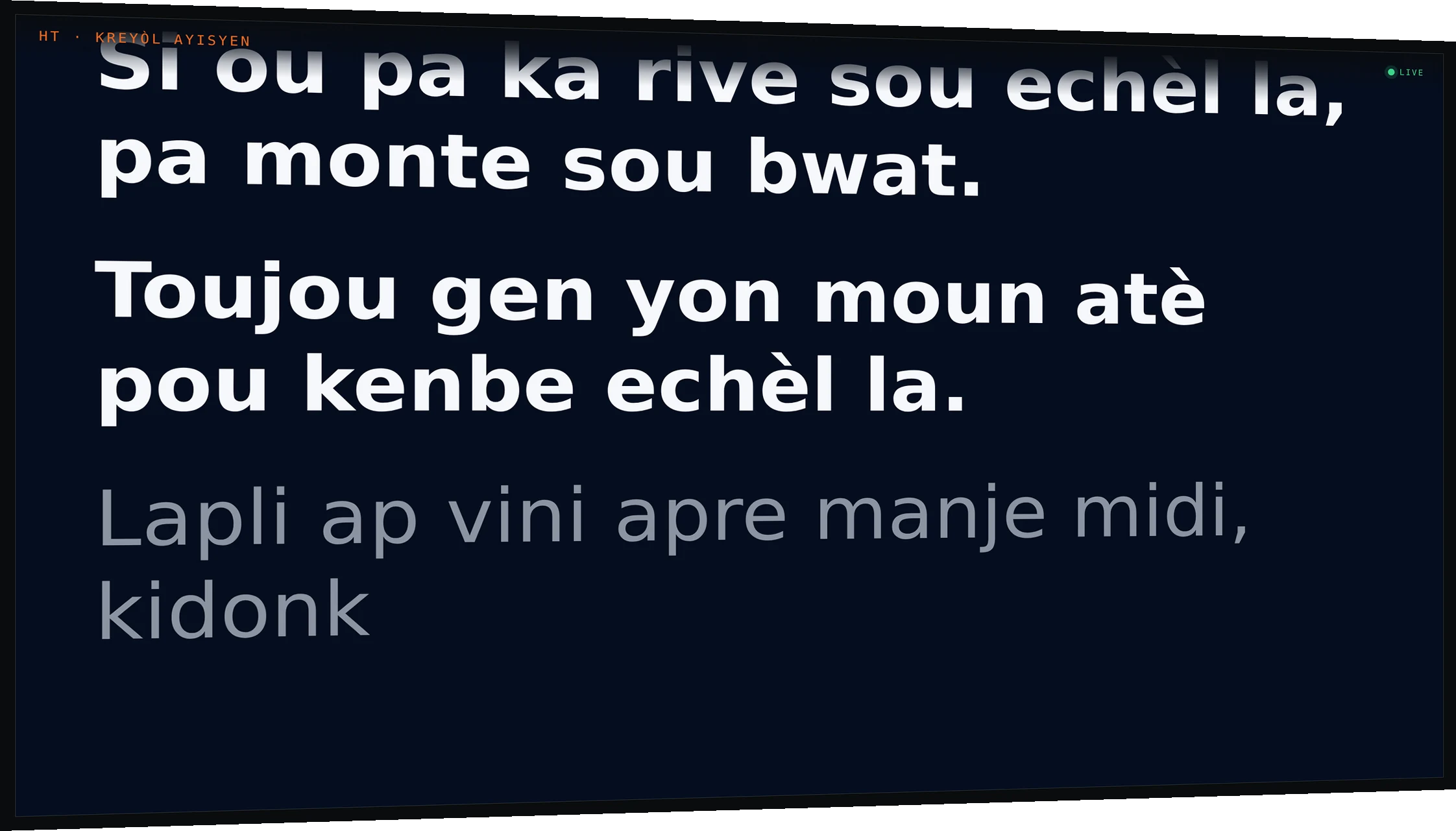
This is what it looks like at 6:45 in the morning.
One screen per language on the wall, and one laptop at the front of the room driving all of them.
05Languages
Most jobsite tools stop at Spanish.
Spanish was the obvious one. Haitian Creole was the decision. On the sites I run it is the second language in the room and it is the one nothing supports — so it went in first, alongside Spanish, before anything easier.
The other ten followed because once the pipeline is right, a language is a configuration, not a rebuild. Pick the ones your crew actually speaks; the rest stay out of the way.
HoverTap a language to see the same sentence in it.
“Hard hats are required past this point.” — the same sentence, twelve ways.
06Proof of substance
The four questions you were going to ask anyway.
- Does it record what I say?
- No. Audio streams from the browser straight to the speech engine — it never touches a CrewEcho server. Nothing about the talk is stored: no audio, no transcript, no caption text. The only record is that a session happened.
- What if the site has bad signal?
- It needs internet. If the connection drops mid-talk the screens hold their last captions rather than clearing, and the session resumes when it's back. Plan a hotspot the way you would for anything else on site.
- How accurate is it?
- Good enough to follow a safety talk; not a certified interpreter. The single biggest factor is the mic — a lav or headset on the foreman beats every software setting. Teach it your terms and the words that matter land right.
- What does it cost me to run?
- One subscription across all your sites. No headsets to buy, lose, or sanitize. No interpreter booking at each location.
07Who built it
I’m a paramedic working on large construction sites, and every morning our crews gather in the parking lot for stretch-and-flex and the daily briefing.
On some sites, that can mean more than 200 people who all need to understand the same weather updates, safety information, and wellness talks.
I watched one morning as part of the crew nodded through a hazard briefing they clearly had not followed. The solution at the time was to repeat each section over and over in every language spoken on site. It worked, but it also turned a meeting that should have been short and simple into a much longer process.
The site already had two large TVs out front, so I built something that used them. One person talks, CrewEcho translates it live, and everyone can read the same message in their own language at the same time.
That’s where CrewEcho started.
Eddie
CrewEcho by 2E
08Pricing
Priced per talk, not per person.
What a seat is
One talk, happening at once.
A seat is a concurrent session — one foreman, one room, however many screens that room needs. Two sites running 6:45 talks at the same time is two seats. The size of the crew in front of him does not enter into it.
What's included
All twelve languages, every seat.
No per-language pricing and no upgrade to unlock Haitian Creole. Unlimited screens per session, the controller, the admin panel, and the caption tuning on each TV.
What it replaces
An interpreter, every morning, at every site.
On-site interpreters bill roughly $75–150 an hour in most US markets, usually with a two-hour minimum, per site, per morning. That is the number worth comparing against — not another piece of software.
09Start
See it on your next toolbox talk.
Fifteen minutes, your own mic, your own crew. If it does not work in your room we both find out cheaply.
Request a demo